
How to Integrate Social Media with Smart Home Lighting

Social Media Light Notifications

We love to play with light and how it interacts with our life here at Inspire AV HQ, one of the simplest ways to do this is by applying colour to notify you of social media and on-line communication. I like the fact just using some simple components bought from the highstreet I can go through my day without checking my content every 5 minutes to see what’s going on in Inspire AV’s world.

What do you require?

Phillips Hue lighting –    This can be bought from most major retailers, and can provide you with a very cost effective way of lighting automation. LightwaveRF and Wemo Switches also work but we find Phillips Hue gives the best effect as it allows for different colours dependent on the notification.

Social Media Account – We all have one of these nowadays but if you don’t you can still do the same thing with emails.

IFTTT Account –               IFTTT gives you creative control over the products and apps you love, using recipes you can make your apps work in harmony to enrich your life, you can set up an account here and download the app on most platforms https://ifttt.com/.

Below is a step-by-step guide:

On how to light your room green when receiving a mention from twitter.

  • Step 1: Open IFTTT app and login, select the new Recipe icon in the top right of the screen.
  • Step 2: Click on the ADD new recipe icon.
  • Step 3: Select what you ACTION you would want to trigger the  EVENT,    in this case I will select twitter as the ACTION.
  • Step 4: So Twitter becomes the action but you still require to tell IFTTT what notification you would like it to look out for, click the plus sign to add this.
  • Step 5: I would like the EVENT to happen when we receive a mention on twitter… we like to be very responsive on our social media in the office and at home but like to be reminded in a gentle way
  • Step 6: Repeat the process with the EVENT, Click the red plus sign to add the app you would like to trigger the EVENT.
  • Step 7: Select Phillips Hue as your triggered EVENT.
  • Step 8: Select what you would like the EVENT to do. In my case change the Lounge LAMP to green.
  • Step 9: You need to select the light you wish to control and what colour you would like select with the light.

Note: you must have your Phillips Hue set up and working off the app before you can control from IFTTT, also only certain lights in the Phillips Hue range have colour changing capabilities.

  • Step 10: You have created your first Lighting Notification with IFTTT, click the finish button and enjoy your lighting display.
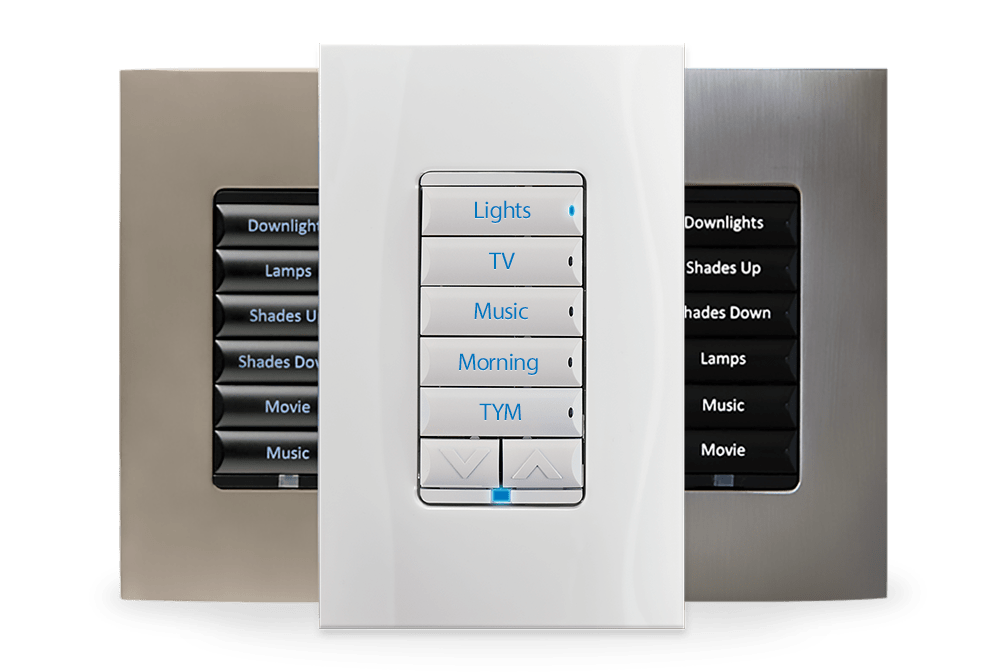
This image has an empty alt attribute; its file name is control4-announcements-including-os-2-10.png

Control4 CA-1 Automation Controller

Today see's the launch of Control4's new CA-1 controller, a new breed of processor purely aimed at the automation market rather than those with AV systems.  The emerging range of smart locks, thermostats, lights, and cameras available today have certainly raised consumer awareness for the promise of the smart connected home,” said Martin Plaehn, Chairman and CEO, Control4. “Homeowners as well as home builders and building developers are looking for more than a just collection of independent, smart devices. Our new CA-1 and industry-leading Control4 OS deliver that needed capability and customer experience – orchestrating all of the smart devices in a home.”

“The CA-1 utilises the industry-proven Control4 platform and broad device ecosystem so our dealers can immediately succeed with the skills, resources, and expertise that they already have,” added Plaehn. “This is not a dialed-down version of the Control4 OS nor a compromise; this is a new category of automation controller designed to meet the connected home demands of home builders, building developers, and their buyers.”

The Control4® CA-1 Automation Controller is the perfect entry point into Control4 automation built around security, comfort, and convenience solutions. It has built-in control for IP, ZigBee®, and serial devices, plus an internal slot for a Z-Wave Plus™ module (sold separately). It is designed for homeowners, builders, MDUs, and hotels that want smart experiences that include smart lighting, thermostats, door locks, cameras, sensors, shades, and more.The CA-1 is the foundation that makes smart products work together to deliver rich, orchestrated automation —the smart home experience homeowners truly want.

Features

  • The simplest way to experience the Control4 Smart Home
  • Orchestrated automation for door locks, shades, cameras, sensors, and lighting
  • Built on Control4’s proven OS and ecosystem
  • Built-in connectivity for IP, ZigBee, and serial devices
  • Expansion slot for optional Z-Wave module
  • Perfect for broad-scale deployments
  • Can be powered by PoE—making it an ideal tool to expand ZigBee in larger Control4 installations

Control4 & Sonos – New authorised driver


Control 4 & Sonos - New authorised driver

Changes that are Now Impacting the Customer Experience
Recently, Sonos provided a new version of software and began auto-updating installed Sonos products. These updates include changes to account authentication and music playback interaction required by Spotify and Amazon Music. These changes will disable end user access to Spotify and Amazon Music services through the legacy Control4-Sonos UPnP-based driver. Currently, other music services supported by the legacy driver continue to function; however Control4 cannot predict future operability indefinitely because such support is controlled by Sonos or the music service providers.

The new Control4-Sonos driver, which adheres to the technical and business guidelines from Sonos, enables Spotify and Amazon Music playback as well as many other music services but with a new and comparatively limited user experience through Control4 interfaces. This new authorized driver is available now and recommended for all new Sonos installations and for updating existing installations.

Failure to update the system will possibly result in non-operation of audio with any system using Control4 to control Sonos. 

Effective January 1, 2017 the legacy UPnP-based driver will be removed from the Control4 Online Driver Database as future software updates from Sonos may introduce incompatibilities with other music services. The new authorized driver is now the only approved and supported mechanism for integration between Control4 and Sonos.  

Use the new Control4-Sonos Authorized Driver (Mandatory)
Benefit:

  • Homeowner has access to a large variety of music services through Sonos.
  • Homeowner can access their Sonos music Favorites through the Control4 interfaces.

Disadvantage:

  • Music playback is limited to pre-created Sonos Favorites.
  • Homeowner needs to create and manage their Sonos Favorites from the Sonos mobile app.

The Sonos update that will implement the changes that will affect your system is due to start being rolled out at the end of January, we will start over the next couple of days removing the old Control4 driver and replacing it with the new supported driver into your system. Unfortunately this is something that is out of our control and is going to affect all Control4 systems that have Sonos integrated. There is no work around at the minute, some control systems have lost the ability to integrate Sonos completely. We are sorry for any inconvenience caused by this.

We now Offer AV Services in Exchange for Bitcoin & Litecoin

Smart home specialist Inspire Audio Visual will become the world's first AV Companyy to offer its services in exchange for the Bitcoin and Litecoin.

Since launching in 2009, Inspire AV has created over 150 bespoke audio visual, lighting, home cinema and automation solutions for satisfied clients, and now welcomes the new form of exchange in light of its increasing worldwide popularity.

Inspire AV director, Benjamin Davies, welcomes the digital payment method following his personal cryptocurrency involvement and recognition of the system’s significant future potential.

Davies comments: “In the near future, digital currencies like Bitcoin and Litecoin will become more and more a part of our daily lives. As a smart home company it is our ethos to be at the forefront of technology – that includes payment systems and by offering this service we enable more customers to reach us.”

Inspire AV will now accept Bitcoin & Litecoin as payment for all smart home services, including home cinemas, lighting control and smart home control from Control4 and Crestron To discover more, contact the team at: https://inspire-av.com/contact/ or +44 1904 289 015

See our featured article at https://goo.gl/yx8wmB

Smart Home Lighting Design

Why not let us design your smart home lighting system, with an in house lighting designer you get the benefit of not only an expert in automated lighting but a designer who can add the wow factor to your home.

Here’s what a recent client had to say about our design and installation:

Ben (Inspire Audio Visual)  provided the lighting design for our new home last years . We moved to a three bedroom first floor apartment in a converted building, part of an original psychiatric hospital (asylum) now a grade 2 listed building. Ceilings are high and the space very open plan. We had no idea what to do and researched lighting designers. We chose Ben because of the interest he showed form the start. With us he put together a design which we really liked and given his vast knowledge and experience was way beyond what we could have conceived alone. Drawings and samples were provided. Ben works with a close team who moved in while we moved out to complete the work. We were thrilled with he result and very impressed by how well the team worked together but also that when we returned our house was spotless! Any queries or small work that needed doing eg. adjusting the height of an over the table lamp, replacing bulbs beyond our reach Ben has attended to. After sales service has been excellent.

Why not in touch on our contact page and tell us about your exciting project.

    Name (required)

    Email (required)

    Phone

    Area of interest

    Home CinemaSmart HomeLighting ControlAudio Visual

    Type of installation

    Price Margin (Leave blank or estimate if unsure)

    If you know the number of rooms within the property, please select from the options below.

    If you have any floor plans of the property you would like to submit, please attach below.

    This site is protected by reCAPTCHA and the Google
    Privacy Policy and Terms of Service apply.